
Important Note:
This project has been unofficially forked from https://github.com/techniccontroller/wordclock_esp8266 which was initially created by techniccontroller. Copyright and licensing is respected. Very many thanks for the initial code!
Wordclock 2.0
Wordclock 2.0 with ESP8266 and NTP time
More details on techniccontroller's website: https://techniccontroller.com/word-clock-with-wifi-and-neopixel/
Languages
The Wordclock is available in German language.
Features
- Time update via NTP server
- Games: Pong, Snake, Tetris, ...
- Automatic summer/wintertime change
- Easy wifi setup with WifiManager
- Configurable color
- Configurable night mode (start and end time)
- Configurable brightness
- Automatic mode change
- Webserver interface for configuration and control (web address: wordclock.local)
- Automatic current limiting of LEDs
Pictures of clock
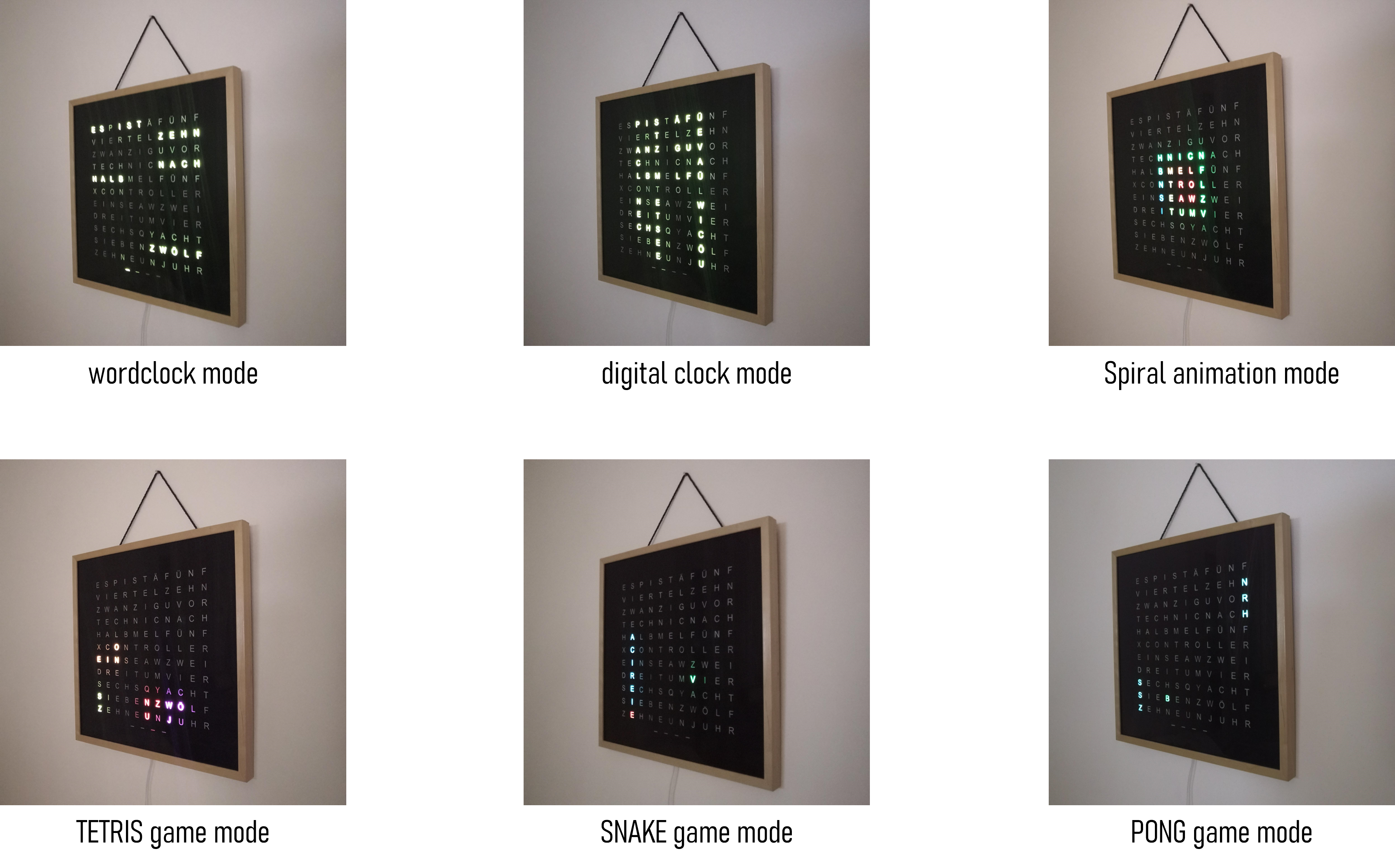
Quickstart
- Clone the project into the a directory.
- Open directory in VSCode with PlatformIO extension installed.
- Current dependencies (2024-07-21):
- Platform espressif8266 @ 2.6.3 (required: espressif8266 @ 2.6.3)
- Libraries
- ├── FastLED @ 3.7.0 (required: fastled/FastLED @ 3.7.0)
- ├── FastLED NeoMatrix @ 1.2.0 (required: marcmerlin/FastLED NeoMatrix @ ^1.2)
- │⠀⠀⠀└── Framebuffer GFX @ 1.1.0 (required: Framebuffer GFX)
- │⠀⠀⠀│⠀⠀⠀├── Adafruit GFX Library @ 1.11.9 (required: Adafruit GFX Library)
- │⠀⠀⠀│⠀⠀⠀│⠀⠀⠀└── Adafruit BusIO @ 1.16.1 (required: Adafruit BusIO)
- ├── WiFiManager @ 0.16.0 (required: tzapu/WiFiManager @ ^0.16.0)
- └── base64 @ 1.4.0 (required: densaugeo/base64 @ ^1.4.0)
Remark about the WiFi setup
By default the WifiManager is activated. That is, the word clock makes the first time its own WiFi (should be called "WordclockAP"). There you simply connect to the cell phone and you can perform configuration of the WiFi settings conveniently as with SmartHome devices.